Public and private materials
An agenda can contain files and expandable HTML. Public items are available without sign-in; private items require an authorized account.
Recognize the four material types
| SB-BRD-011 callout | Material type | Who can see it |
|---|---|---|
| 1 | Public file | Everyone |
| 2 | Private file | Authorized signed-in users |
| 3 | Public expandable HTML | Everyone |
| 4 | Private expandable HTML | Authorized signed-in users |
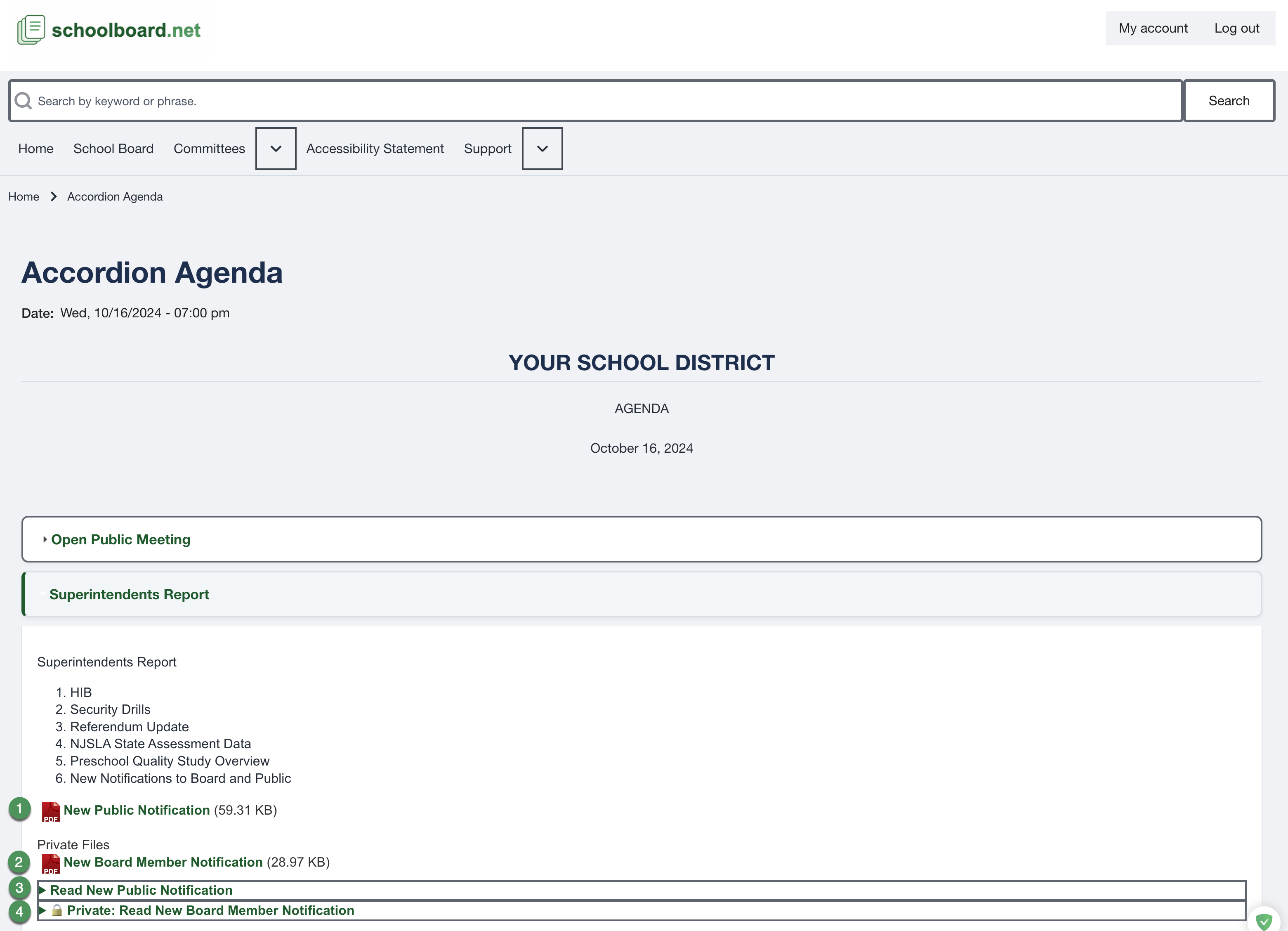
Figure SB-BRD-011. Consolidated view of public and private supporting materials.
Public view
The signed-out view shows the public file and public expandable HTML without the private items.
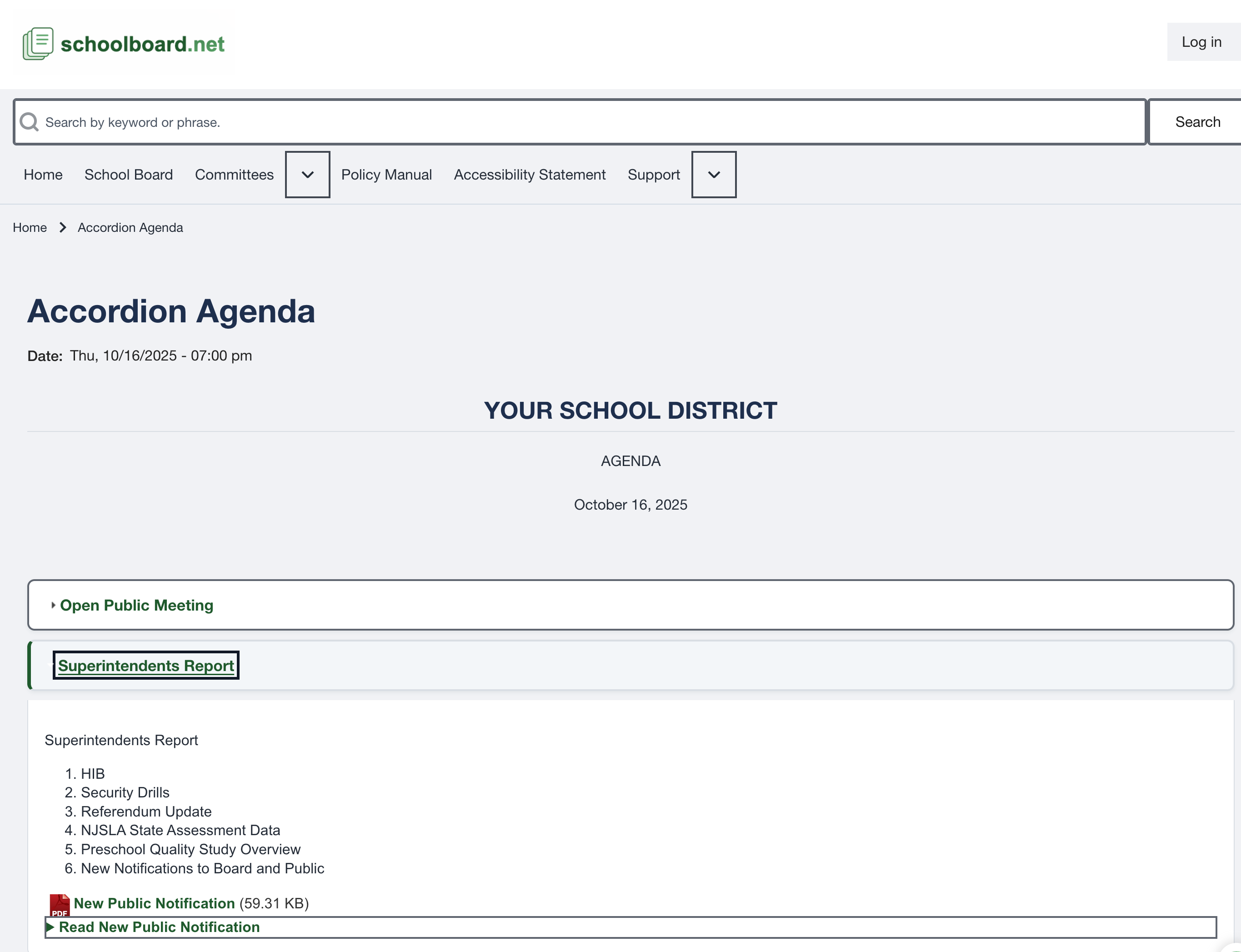
Figure SB-BRD-015. Public supporting materials without sign-in.
Open a file
- Select the linked filename.
- Allow the browser to open or download it according to browser settings.
- Return to the agenda after reviewing the document.
Open expandable HTML
- Select the Read ... heading.
- Review the material within the agenda page.
- Select the heading again to close it.
Protect private material
A private label limits access on the site. Continue to follow district records, confidentiality, closed-session, disclosure, printing, and sharing requirements.
Related Topics
Revision History
| Version | Date | Status | Summary |
|---|---|---|---|
| 1.0 | 2026-07-13 | Review Draft | Public/private material guidance using SB-BRD-011 and SB-BRD-015. |